
Fri, Jan 29 · 3:00 PM Eastern
iPhone Unlocked
Master your iPhone from the ground up. We cover the basics of navigation, settings, apps, calls, texts, and everything in between so your phone finally works for you instead of against you.
AI-powered scam protection and tech help
Ask anything about your phone, your computer or a message that looks off. Jortty finds the right page and walks you through it, by voice or by message, and it watches your inbox for scams on its own.
Free plan · Premium free for 7 days · Works in any browser today · iPhone app coming soon
Real Jortty in the browser, recorded on staging. The waiting is sped up.
You talk to one friendly helper, by voice or by message. Behind it, Jortty’s helpers do the legwork: they look things up on the real websites, check what’s safe and find the exact page you need. Then Jortty stays with you, step by step, until it’s done. Nothing gets clicked, bought or sent without you.
Help
Type it, say it, or send a photo of the problem. Jortty explains it in plain English and stays with you, one step at a time.
Protect
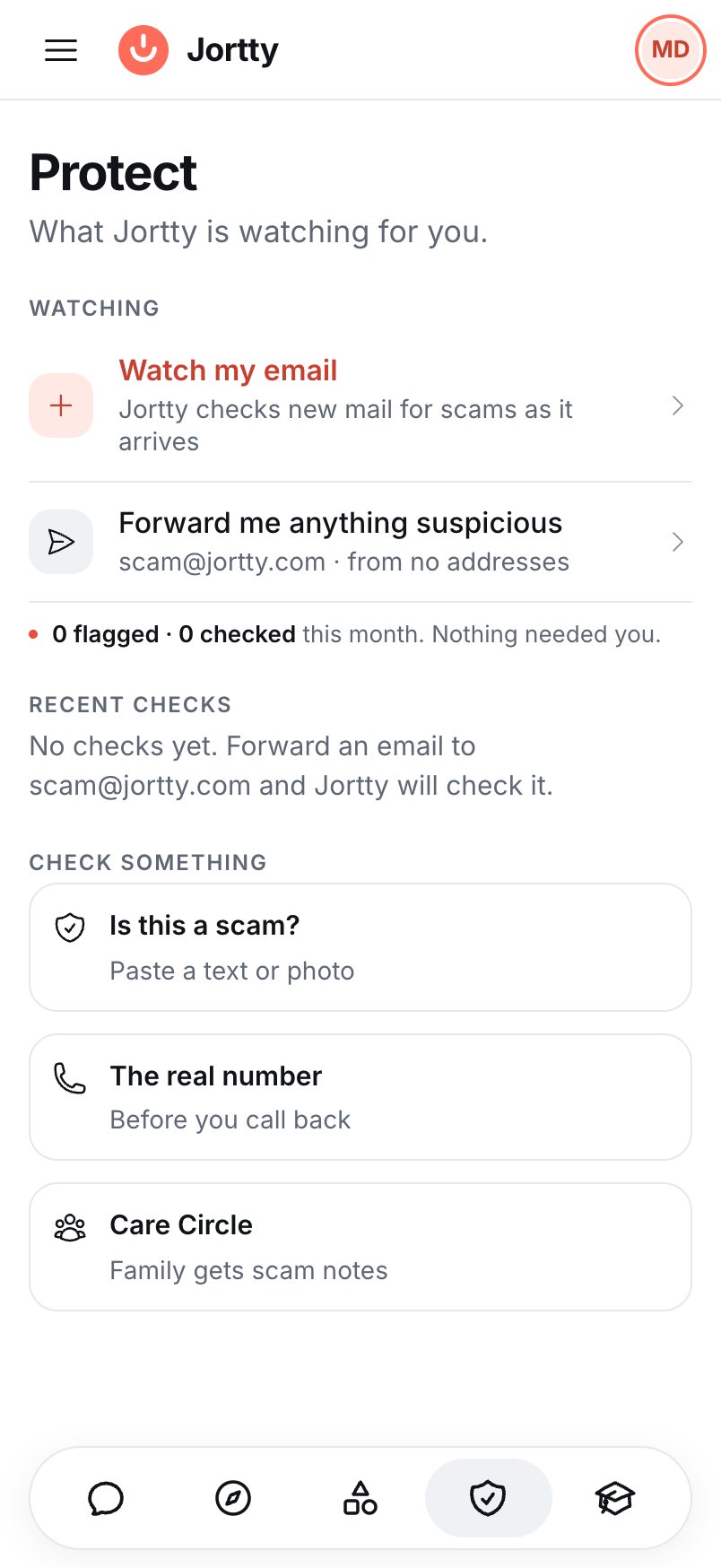
Connect your email once. Jortty checks every new message automatically and tells you the moment something is dangerous.
Shield and Navigator
Jortty in your browser stops scam pages before you type a thing. And when a website is confusing, Navigator sees the page with you and talks you through it.
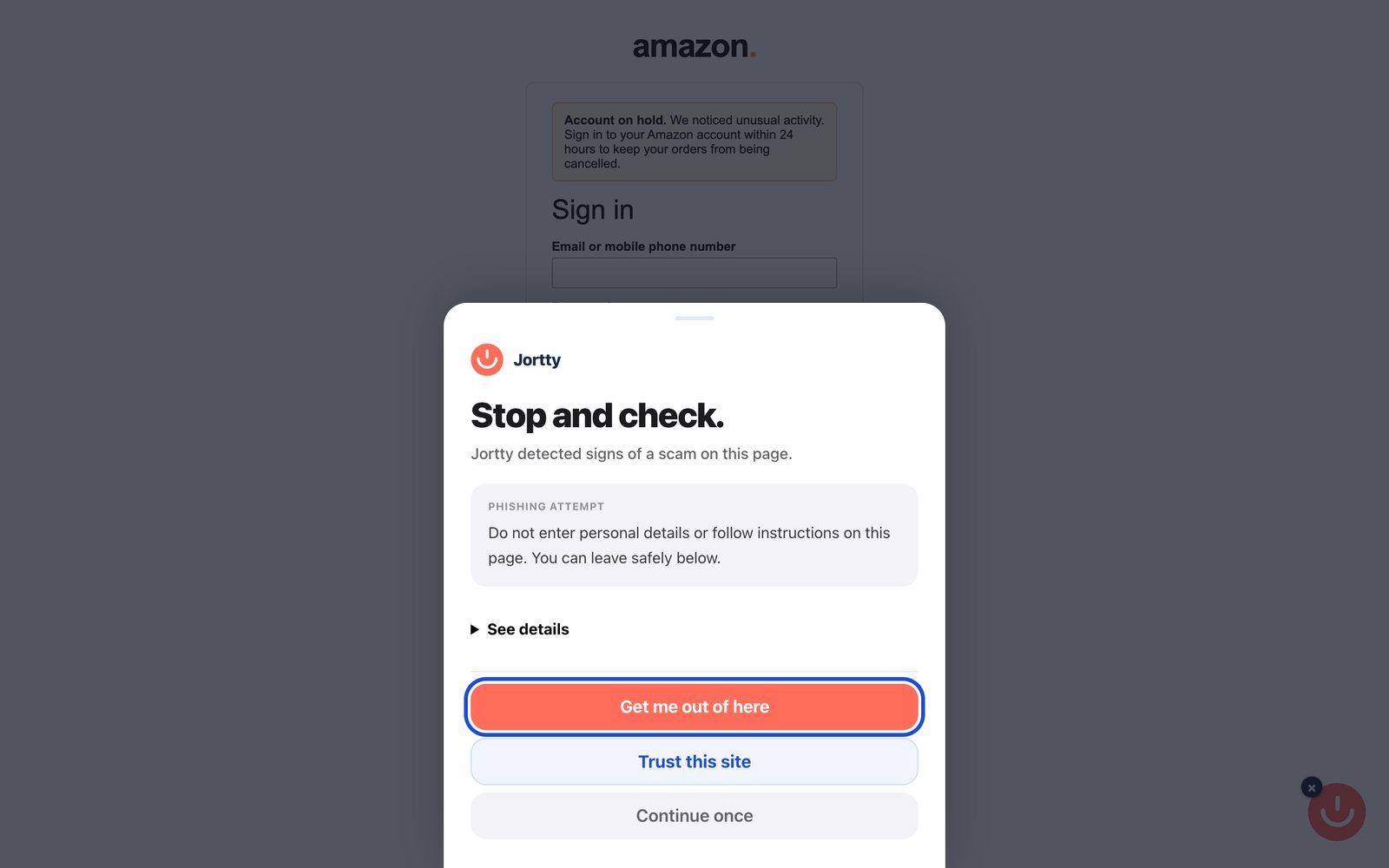
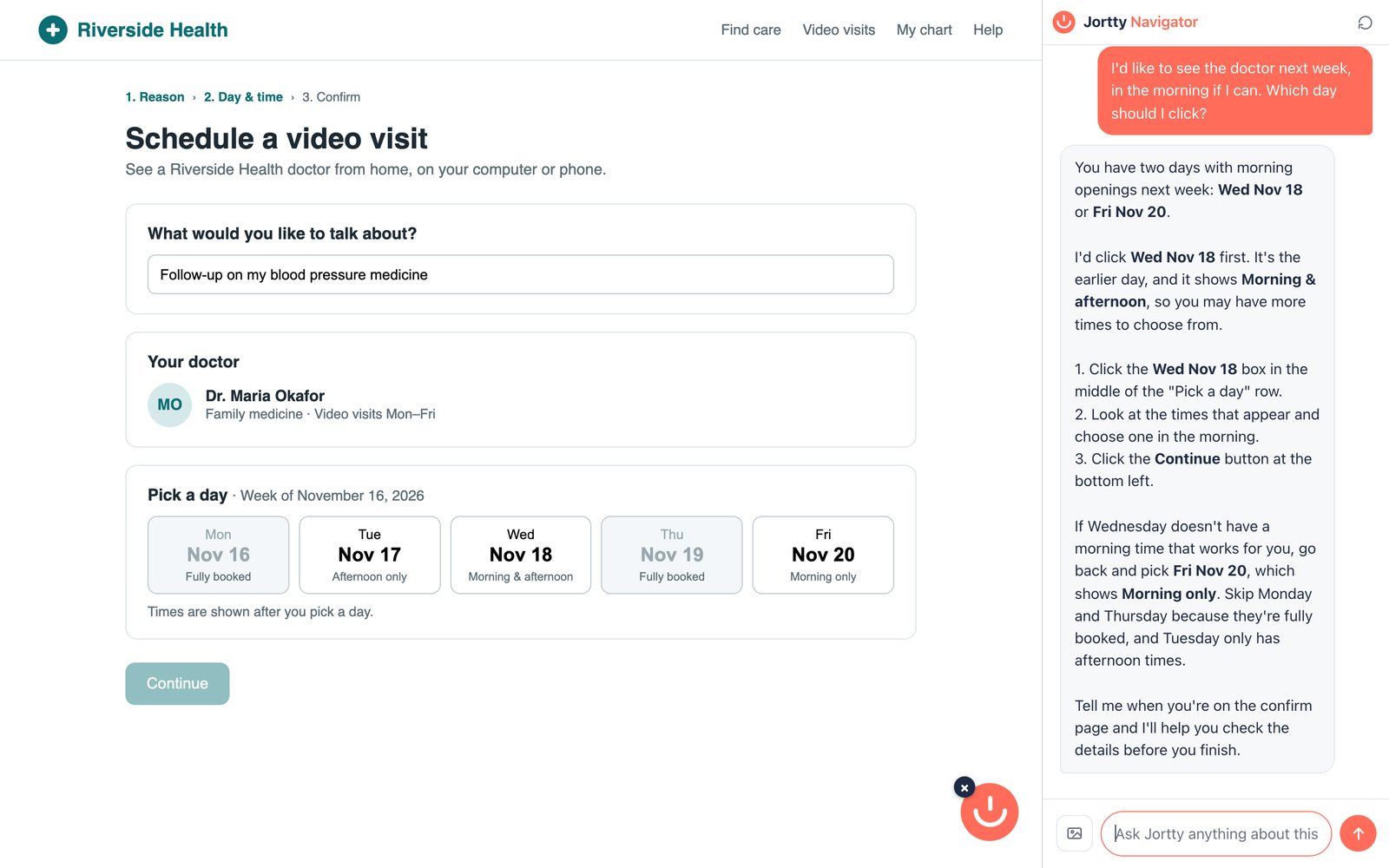
Real screenshots of Jortty Shield in Chrome, on example pages. For Chrome, Edge and Firefox. Shield on every plan; Navigator on Premium and Elite. Jortty never types passwords or books for you. Get Shield
Find
The real cancel page. The company’s actual phone number. Flights and prices from the real sites, ready for you to finish.
Make
Cards, pictures, and old photos repaired and brought to life, ready to print or send to family.
Learn
A feed made for you, with scams going around, outages and updates for your own devices, plus free live classes.
Free live workshops
Live classes on your iPhone, iPad and Mac, staying safe online, and using AI. Free on every plan. Register in Jortty, and join from your computer at class time.
Fri, Jan 29 · 3:00 PM Eastern
Master your iPhone from the ground up. We cover the basics of navigation, settings, apps, calls, texts, and everything in between so your phone finally works for you instead of against you.

Fri, Feb 5 · 3:00 PM Eastern
Your iPad is more powerful than you think. This workshop walks you through setup, browsing, apps, video calling, and how to get the most out of your tablet every single day.

Fri, Feb 12 · 3:00 PM Eastern
Scammers are getting smarter. This workshop teaches you how to spot phishing emails, fake phone calls, suspicious links, and how to protect your personal information before it's too late.

Fri, Feb 19 · 3:00 PM Eastern
AI, robots, smart homes, self-driving cars — the future is arriving faster than most people realize. This workshop breaks it all down in plain language so you understand what's coming and why it matters to you.

Fri, Feb 26 · 3:00 PM Eastern
Artificial intelligence is already in your phone, your TV, and your doctor's office. Learn what AI actually is, how it works, and how to use tools like ChatGPT to make your life easier starting today.

Fri, Mar 5 · 3:00 PM Eastern
Your Mac is one of the most powerful computers ever made. This workshop covers everything from finding your files to browsing the web, sending emails, and customizing your Mac to fit your life.

Fri, Mar 12 · 3:00 PM Eastern
Windows 11 doesn't have to be confusing. This workshop walks you through the Start menu, settings, apps, file management, and all the everyday things that trip people up — solved simply.

Fri, Mar 19 · 3:00 PM Eastern
Your music, your photos, your movies, your email — they all live somewhere called the cloud. This workshop explains exactly what that means, how it works, and how to use it confidently without losing anything.

Fri, Mar 26 · 3:00 PM Eastern
MyChart, telehealth visits, online prescriptions — your healthcare has gone digital. This workshop shows you how to navigate health portals, join a video appointment with your doctor, and take control of your own health records.

Fri, Apr 2 · 3:00 PM Eastern
The best camera is the one in your pocket. Learn how to take stunning photos, organize your albums, edit pictures, share them with family, and never lose a memory again.

Fri, Apr 9 · 3:00 PM Eastern
The internet opens up a world of convenience — groceries, travel, news, entertainment. This workshop takes you from basic browsing all the way to safe online shopping, Google searches, and everything in between.

Fri, Apr 16 · 3:00 PM Eastern
Netflix, Spotify, YouTube, Amazon Prime — entertainment has changed forever. This workshop shows you how to set up streaming services, find what you want to watch or listen to, and stop paying for things you don't use.
Free forever, or Premium at $20 a month after a 7-day free trial.